How to make Claude work for you while you sleep? The new Dispatch feature that changes everything
Dispatch allows you to manage Claude remotely, featuring file handling, task automation, cross-device synchronization, easy setup, and data security.

Since the launch of Claude Cowork in January, it has had one fundamental problem that no amount of life hacks or settings could bypass: you had to be there. Not just having your laptop open, but literally being present in the process, watching Claude execute tasks.
What Dispatch actually is, and why it is being misunderstood
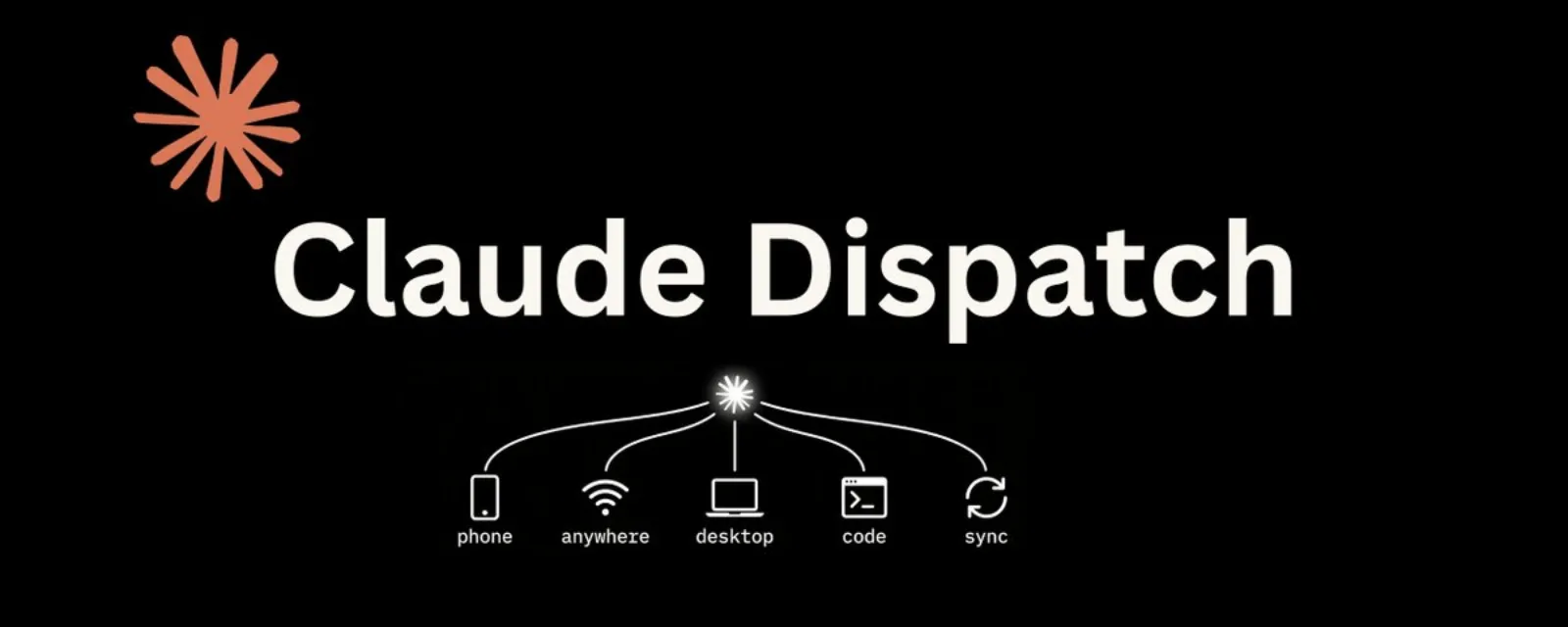
Dispatch is being widely discussed right now, but most people are interpreting it incorrectly, viewing it as a mobile version of Claude or as a cloud agent. In reality, it is neither. Dispatch creates a single, persistent communication channel between your phone and the computer where Claude Desktop is installed; all the work happens on the computer, not somewhere in the cloud. The phone acts exclusively as a control interface—you send a message, and Claude performs the task using access to your files, skills, connectors, and all the settings already present in your Cowork system.
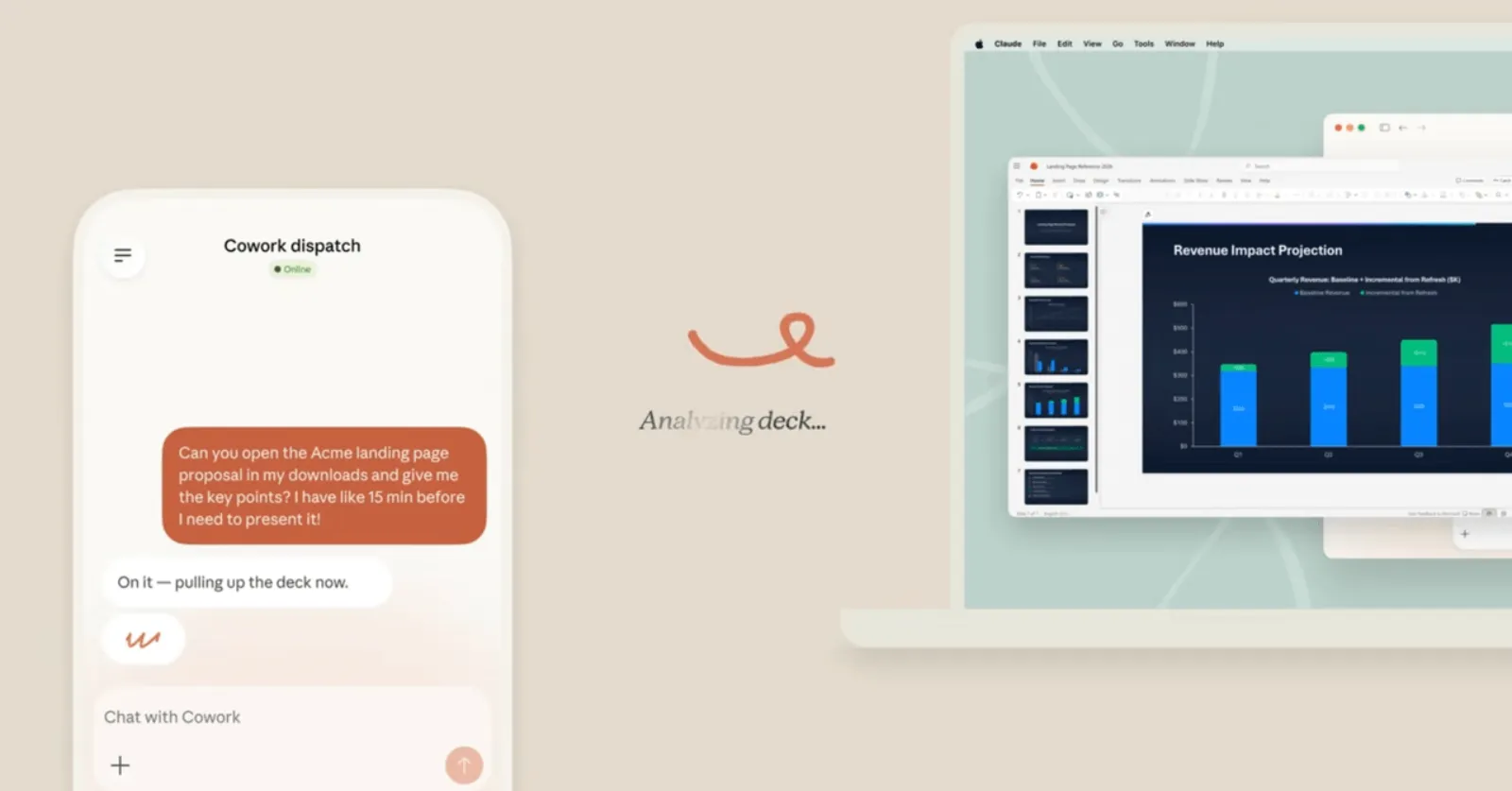
This is important because Dispatch doesn't create a new system; it provides remote access to your existing one. Everything you configured previously automatically becomes available from your pocket. That said, the computer must remain on and the application must stay open. While this might look like a limitation, in practice, it is a deliberate decision favoring security, as no data is sent to permanent cloud servers.
Setup that takes less time than you think
The most unexpected thing about Dispatch isn't its capabilities, but how easy it is to launch. You don't need API keys, servers, or complex integrations. All you need to do is update Claude Desktop and the mobile app, open the Dispatch section on your computer, enable file access and the option to prevent the system from going to sleep, and then a QR code will appear on your screen.
You open Dispatch on your phone, scan the code, and that's it. From that moment on, you have a single shared chat synchronized across devices. Any message sent from your phone instantly appears on the computer, Claude performs the task, and the response comes back to the same place. The entire setup takes literally a few minutes, but the impact is disproportionately large.
What actually works right now?
Despite the hype, it is important to distinguish between real use cases and those that still only look good in theory. Dispatch excels at tasks involving reading and analyzing information. For example, morning email triage works reliably; you can lie in bed, send a command to summarize your emails, and get a condensed overview of your day before you even get up. Similarly, file searching, preparing for meetings via calendar and documents, and generating brief summaries of recent materials work well.
Scenarios involving Notion, Slack, and receipt processing also show good stability, provided you have already configured the relevant connectors and skills. However, anything involving multi-step actions is becoming less predictable; creating documents from templates, organizing files, or working with spreadsheets may be subject to delays or errors, especially if the data is unstructured.
The weakest area at the moment is chains of actions across different services and the automatic sending of results; such scenarios often break, so it is better to break them into individual steps for now.
Dispatch makes this interaction asynchronous for the first time. You send a task and go about your business while the system continues to work without you. This transforms AI from a tool that requires attention into a system that performs work in the background. The difference here is like that between a calculator and a factory: one requires constant participation, while the other works on its own once started.
How to get the most out of Dispatch without being disappointed?
Many early tests show mediocre reliability, but the problem is often not Dispatch itself, but how Cowork is configured. Since Dispatch utilizes your entire existing system, a weak architecture automatically leads to weak results. The key factor becomes context files that define Claude's behavior; without them, short commands from your phone are interpreted too broadly and often incorrectly.
Skills become even more important because you no longer want to write long instructions on your phone; you want to send a short command and get a predictable result. It is also critical to keep tasks simple and focus on one action at a time instead of attempting to build complex chains. Additional stability can be achieved via a global instruction that forces Claude to confirm a task before executing it, which reduces the risk of misinterpretation.
And most importantly, every new task should first be tested while you are near your computer to understand exactly how the system executes it.
Limitations you should know about in advance
It is important to understand that Dispatch is in early access, and you can feel it. The system lacks notifications, so you won't automatically know when a task is finished and will have to check manually. All tasks are performed within a single dialogue, which limits parallel work. There is no way to schedule tasks by time, and execution speed can vary significantly depending on complexity.
Additionally, the mobile app does not provide full access to Cowork settings; it serves only as an interface for sending messages. All system changes still need to be made on your computer.
A simple routine that already delivers results
Even in its current state, Dispatch can already be integrated into your daily workflow. In the morning, without even getting out of bed, you can send a request for a summary of your emails, calendar, and project updates. While you are getting ready, the system is already processing the information. During breakfast, you review the results and, if necessary, send short commands, such as drafting a reply. Before starting work, you can request preparation for a key meeting.
As a result, in just a few minutes of interaction, you clear a significant volume of tasks before you even sit down at your computer.
What's next, and why is this only the beginning?
In its current form, Dispatch is not a finished product, but a demonstration of a direction. It is already clear that the next steps will involve cloud-based agents that operate independently of your computer, notifications for task completion, and the ability to manage multiple parallel workflows. All of this follows logically from the current architecture and will almost inevitably emerge in the coming months.
Translated from Russian. Original on vc.ru: Как заставить Claude работать за вас, пока вы спите? Новая функция Dispatch, которая меняет всё